Global buyers entering 2026 face a crowded Optical Fiber Cable market. Single-mode and multimode cables serve different distances, bandwidth needs, and installation environments. A cable suited to a long outdoor route may be a poor fit inside a dense data center. The difference shows up in real details: connector types, bend radius, jacket material, and the space available in a conduit.
Charles K. Kao, the physicist whose work helped make fiber-optic communications practical, is often credited with saying, “The optical fiber is the most important invention in communications since the telephone.” Buyers can take a practical lesson from that idea: the cable is not a commodity chosen by name alone. Its construction and specifications must match the link. Check fiber count, attenuation, operating temperature, and flame rating against project requirements, then confirm test reports and supplier documentation. Small mismatches matter.
This guide compares common cable types for global purchasing decisions, from indoor tight-buffered designs to rugged outdoor and armored options. It also considers application, installation conditions, and procurement checks. Not every buyer needs the most advanced specification. In some projects, paying for unused capacity is simply wasted budget. The categories are not always tidy, either: hybrid designs can blur the lines. That deserves a closer look before a purchase order is placed.
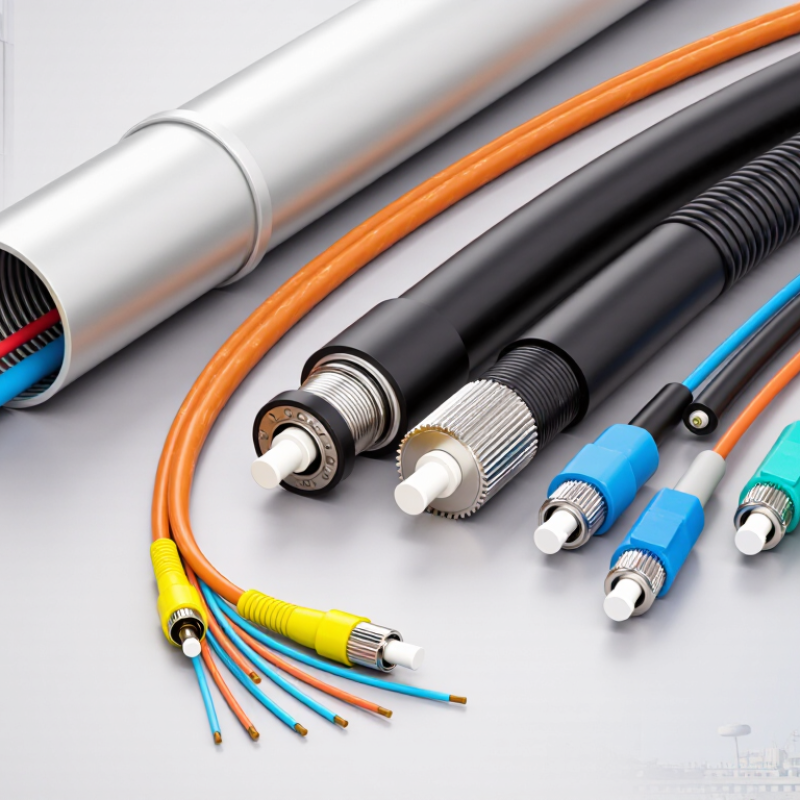
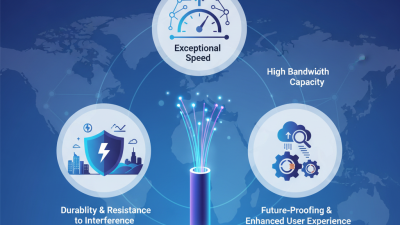
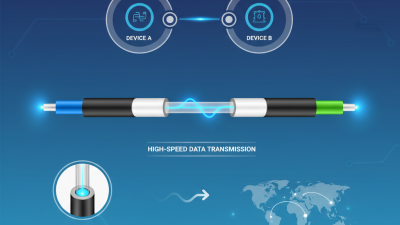
Optical fiber cables carry information as carefully timed changes in light. At one end, a transmitter converts electrical signals into optical signals using a light source. The signal travels through the fiber’s thin glass core, surrounded by cladding that keeps much of the light inside. This works through total internal reflection. In practice, data is encoded using pulses or other changes in the light, depending on the system.
A clean diagram makes this seem effortless. Real connections are less tidy. At a receiving device, a photodetector converts incoming light back into electrical signals, which equipment then interprets as data. For example, a fiber link can carry a video call across a long distance without the electrical noise that affects many copper cables.
Yet light does not travel without loss. Distance, tight bends, dirty connectors, and imperfect splices can weaken or distort the signal. Technicians therefore check connector faces and respect the cable’s minimum bend radius during installation. Even small handling mistakes can matter. The exact performance also depends on fiber type, wavelength, and network equipment, so a cable alone does not determine link speed. That detail is easy to overlook.

2026 Top Optical Fiber Cable Types for Global Buyers?
How Optical Fiber Cables Are Classified
Optical fiber cables are classified by the fibers they contain, their construction, and their intended installation environment. Single-mode fiber carries light over long distances and is common in telecom networks. Multimode fiber typically serves shorter links, such as connections within buildings or data centers. The right choice depends on distance, equipment, and network design—not simply the cable’s advertised speed.
Construction offers another useful distinction. Tight-buffered cables have a protective coating around each fiber, making them practical for indoor routing and termination. Loose-tube designs place fibers inside protective tubes, often with water-blocking materials for outdoor conditions. Some cables use ribbon fiber, with fibers arranged in flat, bonded groups. That can simplify high-count splicing, though the equipment and workflow may differ.
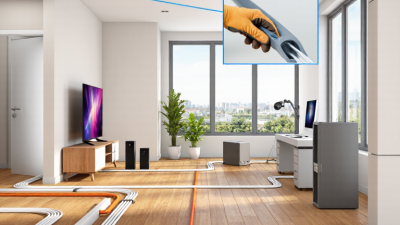
Installation needs further narrow the options. Indoor cables may require jackets suited to building spaces, while outdoor cables may include moisture barriers and UV-resistant sheaths. Armored models add protection where crushing or rodent damage is a concern. Duct, aerial, and direct-burial cables are designed for different routes; they are not automatically interchangeable. A cable label can help, but project drawings and manufacturer specifications deserve a careful check. Classification is useful, yet real sites are rarely tidy. A damp conduit or tight bend can change the practical choice.
| Classification Basis | Fiber or Cable Type | Key Characteristics | Typical Applications | Buyer Considerations |
|---|---|---|---|---|
| Optical fiber mode and performance category | Single-mode OS2 | Uses a small-core single-mode fiber, commonly specified as 9/125 µm. Designed for long-distance transmission and low signal dispersion. | Telecommunications networks, campus backbones, data-center interconnects, and access networks. | Check the required fiber specification, connector type, wavelength, optical budget, and compatibility with the installed equipment. |
| Optical fiber mode and performance category | Multimode OM3 | Laser-optimized 50/125 µm multimode fiber, commonly used with 850 nm optical transceivers. | Short-reach links in buildings and data centers. | Confirm the transceiver standard and supported link distance; achievable reach depends on both the fiber and the equipment. |
| Optical fiber mode and performance category | Multimode OM4 | Laser-optimized 50/125 µm multimode fiber with higher modal bandwidth than OM3. | Data-center and enterprise links where higher bandwidth or more reach than OM3 may be required. | Verify that the installed transceivers support the intended fiber category and application. |
| Optical fiber mode and performance category | Multimode OM5 | Wideband multimode fiber designed to support multiple wavelengths in the 850–950 nm range. | Short-reach data-center links using wavelength-division multiplexing over multimode fiber. | Check end-to-end equipment support; OM5 is not automatically necessary for conventional single-wavelength links. |
| Indoor cable construction | Tight-buffered cable | Fibers have a close-fitting protective buffer, making individual fibers easier to handle and terminate indoors. | Indoor risers, equipment rooms, patching areas, and building distribution cabling. | Choose the required indoor fire-performance rating and confirm whether the cable is approved for the installation route. |
| Outdoor cable construction | Loose-tube cable | Fibers are housed loosely in protective tubes; many designs include water-blocking materials for outdoor exposure. | Outside-plant routes, ducts, and other outdoor network segments. | Check water-blocking design, temperature range, tensile requirements, and whether the cable is rated for the intended placement. |
| Fiber organization | Ribbon cable | Fibers are arranged in flat ribbons, enabling high fiber counts and efficient mass fusion splicing. | High-capacity backbone routes, data centers, and access-network feeder cables. | Confirm compatibility with ribbon splicing equipment, closure capacity, and the required fiber count. |
| Mechanical protection | Armored cable | Includes a protective armor layer to improve resistance to crushing, rodents, or other mechanical hazards, depending on design. | Routes with elevated physical-damage risk, including some industrial and outdoor installations. | Armor type and construction vary. Check bonding or grounding requirements, weight, bend radius, and local installation rules. |
| Installation method | ADSS aerial cable | All-dielectric self-supporting cable designed for aerial installation without a metallic strength member. | Overhead routes on utility or communications structures. | Confirm span length, wind and ice loading, sag requirements, and the electrical environment before specifying. |
| Installation method | Duct cable | Designed for installation in underground ducts or conduits; construction may include loose tubes and water-blocking features. | Underground metropolitan, campus, and access-network pathways. | Check duct fill, pulling tension, bend radius, water exposure, and whether the cable is suitable for pulling or blowing. |
| Installation method | Direct-burial cable | Built for direct placement in soil and typically incorporates protection against moisture and external mechanical stress. | Underground routes where a duct or conduit is not used. | Confirm burial conditions, soil and rodent risks, burial depth requirements, and applicable local codes. |
| Specialized environment | Submarine cable | Specially engineered for underwater deployment; long-haul systems may include additional protection and integrated power-feeding components. | River crossings, coastal links, and international or inter-island communication systems. | Requires route-specific engineering, marine installation planning, and system-level optical and power design. |
Classification categories can overlap: a cable may combine a fiber category such as OS2 with a construction such as loose-tube and an installation method such as duct or aerial placement. Confirm the applicable standards, local regulations, and complete link requirements before purchasing.
Optical fiber cable selection in 2026 still depends on distance, data needs, and installation conditions. Single-mode cable supports long links between buildings, data centers, and telecom sites. Multimode fiber is often used for shorter connections inside facilities. Distance changes everything. Check the transceiver and fiber specifications together; matching connectors alone does not guarantee a compatible link.
Cable construction matters just as much. Tight-buffered cable is practical indoors, where technicians may route and terminate individual fibers. Loose-tube designs protect fibers from moisture and temperature changes, making them common in outdoor routes. Ribbon cable groups many fibers in a compact layout, which can help when a project needs high fiber counts. Armored cable adds mechanical protection in locations exposed to impact or pressure. It is heavier, though, and may require more careful handling.
For aerial routes, all-dielectric self-supporting cable can avoid a separate support wire, when the route and loading suit it. There is no universal best type. A cable that performs well in a clean equipment room may be a poor choice in a wet duct. I would confirm the route, bend radius, connector plan, and repair access before ordering. Those details are easy to overlook, and real sites rarely match drawings perfectly.
Where a fiber cable is installed matters as much as the distance it must carry a signal. Single-mode cable is commonly used for long-distance links between cities, campuses, and telecom facilities. Its small core supports high-capacity transmission over many kilometers. For shorter connections inside data centers, multimode cable can suit links between nearby switches and servers. OM3 or OM4 fiber is often selected for these runs, though equipment compatibility and link length should be checked before ordering. Distance changes everything.
Outdoor routes need different protection. Armored cable can help resist crushing and rodent damage in buried installations, while aerial cable is designed for overhead spans between poles. These options are not interchangeable: span length, wind exposure, support hardware, and installation method all affect performance and service life. For fiber-to-the-home connections, compact drop cable runs from a distribution point to a building. Indoors, low-smoke, flame-retardant cable may be required by the project specification.
High-count ribbon cable is useful in dense backbone routes, where many fibers must fit into limited duct space. It can also make mass fusion splicing faster, but only when crews have compatible tools and training. Details matter here. In practice, the neatest cable plan can still fail if bend radius, connector type, or water-blocking requirements are overlooked. Check the route conditions and the full cable specification, not just the fiber category.
Choosing a fiber cable starts with the route it must serve, not with a catalog label. Indoor links in a clean data room face different risks from outdoor runs exposed to moisture, UV light, and temperature swings.
For longer distances, single-mode fiber is commonly selected; multimode can suit shorter building links, depending on equipment and bandwidth needs. Check the jacket rating, installation method, and bend limits against the actual pathway. Small details matter. A tight tray corner can cause signal loss or damage.
Buyers should confirm connector type, fiber count, operating environment, and compatibility with transceivers. For outdoor or buried installations, assess water blocking and crush resistance with the project engineer. Ask for test results, such as insertion-loss measurements, and check that documentation matches the delivered reel.
A datasheet alone is not enough. Verify labels and reel length before pulling cable; replacing a run afterward can be costly. Leave a service loop, but avoid tight coils.
The best choice is rarely the cable with the most features. It is the one that meets measured needs and can be installed safely. Plans change, and buyers sometimes specify more capacity than the route can use. Still, modest room for future upgrades may prevent an early replacement.